
Deciding whether you need to replace your MacBook screen or repair it could be a tough decision. Some MacBook problems are repairable, while others leave no room for any repairs. No matter what, both major and minor damage require professional assistance. So, if you are facing any troubles with your MacBook screen, check out this guide, “MacBook screen repair vs replacement,” to find out what you should choose.
MacBook Screen Repair Vs Replacement: What Is Best For You
Experts recommend that if your MacBook’s repair cost exceeds 50% of a new MacBook’s price, you should choose a full device replacement instead of repair. But it is not as straightforward. You can choose between a replacement and a repair by considering a few factors, including physical damage assessment, technical compatibility, and financial logic. To learn more about your MacBook repair and when to seek help, read these 6 signs that indicate you need an instant MacBook repair by professionals.
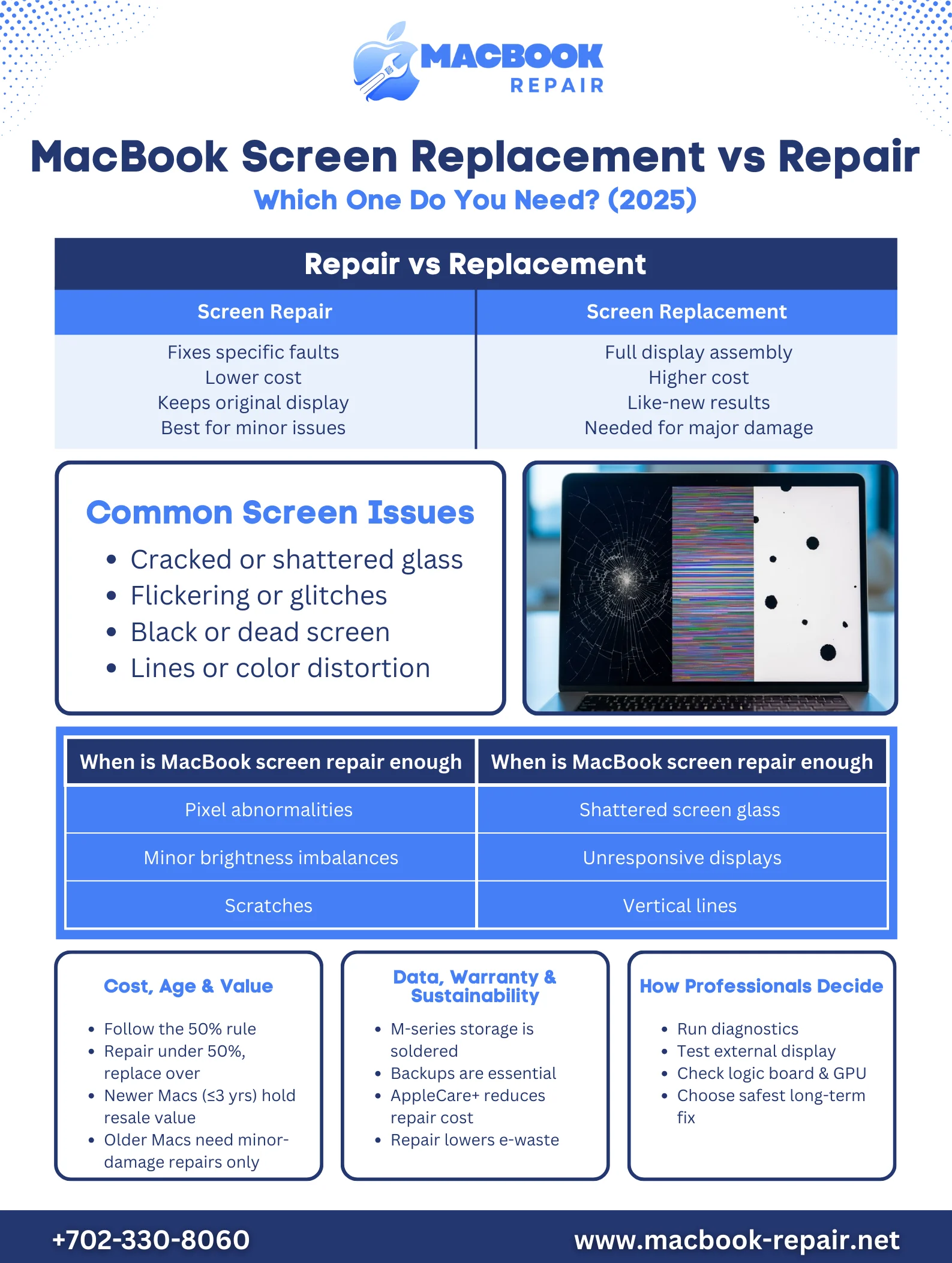
MacBook screen repair vs replacement: Damage Type and Extent
There are many different types of screen damage or issues, including:
- Cracked or Shattered Screen: Often happens due to frequent drops or accidentally dropping your MacBook on an object inside
- Display Glitches And Flickering: Usually related to graphics card problems, internal cable issues, or software problems
- Black or Dead Screen: Typically stems from internal connection issues, backlight failure, or logic board issues
- Lines Across the Screen or Distorted Colors: This could be caused by display cable malfunctions, liquid damage, or faulty LCD panels.
The primary nature of visual defects typically determines whether a repair is possible or if a replacement is necessary. Now, if you are facing any of these problems, the question arises: Should I replace or repair the MacBook screen? Let’s find out what some of the repairable issues are and where you must seek a replacement:
| When is MacBook screen repair enough | When to replace a MacBook screen |
| Pixel abnormalities | Shattered screen glass |
| Minor brightness imbalances | Unresponsive displays |
| Scratches | Vertical lines |
Is Repairing a MacBook Screen A Good Financial Decision?
Repairing a MacBook is generally considered a cost-effective choice, especially if your laptop is in good condition or a newer purchase. You can follow the 50% rule suggested by professionals to determine whether your MacBook screen is repairable or not. Moreover, a professional repair restores full functionality and display quality, which allows you to continue using a powerful device without the high upfront expense of replacement.
However, the decision also depends on the MacBook’s age and overall condition. If the laptop has additional hardware issues or is nearing the end of its lifespan, repair costs may outweigh its value. Therefore, comparing repair pricing with the current market value of your model helps you decide wisely and avoid unnecessary spending.
Consider The Model And Age Of Your MacBook
When choosing between MacBook screen replacement and repair, you should always consider the technical lifecycle of your MacBook. Let’s see it this way:
1. Newer MacBook Models (Under 3 Years):
Have you purchased your MacBook recently? The age of your MacBook should be under 3 years to consider it a newer model in 2025. If you get a screen replacement for a model that is under 3 years old, you can maintain the high resale value of your MacBook. A professional MacBook screen service near Henderson can also increase your laptop’s performance.
2. Older MacBook Models (Over 5-7 Years):
Another way to determine the age of your MacBook is to check whether it supports the latest macOS updates. If you have a MacBook that is several generations old and no longer receives the latest macOS updates, the high cost of screen replacement may not be justified. You can try to go for repairs if your screen issues are minor. But if you are facing major screen problems, you can try to upgrade the device to ensure security and compatibility.
3. Technical And Logical Factors
Here are some of the most important factors to determine whether you should choose a MacBook screen replacement or a repair:
- Data integrity
- Warranty status
- Sustainable choice
What Is Meant By Protecting Data While Repairing MacBook Screens?
Many users worry that repairing their MacBook screens may cause them to lose their files. Official Apple procedures and major hardware failures often lead to a logic board replacement. Since your storage device is soldered to the logic board in the modern MacBook M-series, you lose all your data if you do not have a proper backup.
Unlike a “rookie” technician who may accidentally trigger a system reset or damage internal connections, an expert ensures your data is preserved fully. You can typically retain the data even after the repair.
However, there is no two ways about the situation; you will end up losing your data if your screen issue is related to deeper hardware troubles, as the M1, M2, M3, and M4 MacBook have the storage soldered to the logic board. So, it does not matter whether you are seeking a repair or a MacBook screen replacement. You need to have a proper data backup if you are considering seeking a repair.
-
Warranty Status
If you have a MacBook that is covered under AppleCare+, there will be a significantly reduced fee to fix a MacBook screen. You can head to the System Settings, find the General section, and go to About to find out whether your AppleCare+ is active or not. You may save a huge sum of money per incident as compared to users who do not have a warranty.
However, you do not have to compromise on the quality of repair. You can get MacBook display repair advice from experts without missing out on anything.
-
Sustainable Choice
Apple generated over an estimated 76,000 tonnes of e-waste in 2023, which continues to increase with each passing year. Repairing your MacBook is a sustainable choice, as it reduces electronic waste and keeps materials out of landfills.
How Do Technicians Decide Between Repair And Replacement?
Technicians use specialized tools to determine whether your screen is the only issue or if there is an underlying issue as well. Some technicians often prefer replacing the entire display assembly, including the screen, webcam, housing, and Wi-Fi antenna, as the modern MacBook are very delicate and meticulously engineered.
There are a few tools available, including the Apple Diagnostics, which technicians prefer to use to check for internal hardware failures in the GPU or the logic board. But, there is also a standard “quick check” that involves plugging your MacBook into an external monitor. If it shows perfect images on the external screen, your technician will only perform the display repair.
Get Professional Advice Before Replacing Your Screen!
If you are still unsure what you should consider after this thorough guide on MacBook screen repair vs replacement, you can talk to a MacBook screen repair expert. In 2026, it is essential to seek professional advice, as modern Apple displays are not just passive glass panels. Instead, they are highly integrated, digitally paired components requiring specialized software to function correctly. Sometimes, a repair may be sufficient, and you may not need to replace the entire panel. Call now to avoid unnecessary screen replacement and maintain your MacBook’s resale value.