
Have you been ignoring that yellow battery warning for months? It’s pretty common. But most people don’t know that a $100 battery replacement today could save you an $800 logic board repair tomorrow. Why? Because a bad battery can explode, leak, or overheat. Plus, it damages your MacBook’s internal parts.
Therefore, early warning signs of a MacBook battery are like free insurance. It could be a battery that is draining fast, not holding a charge, or one with a jumping percentage display. Every issue has a solution.
So, if you’re searching for a “MacBook battery replacement Henderson,” then the local shops are faster and cheaper than the Apple Store. Thus, stop waiting or ignoring anymore. Read these 7 MacBook battery warning signs and see which one matches your MacBook right now.
7 MacBook Battery Warning Signs That Scream “Replace Me Now!”
Your battery wants you to notice. It drops the percentage randomly or it gets hot for no reason. It even says “Service Recommended.” Here are the 7 signs that are not suggestions; they are alarms. Here is what each one means.
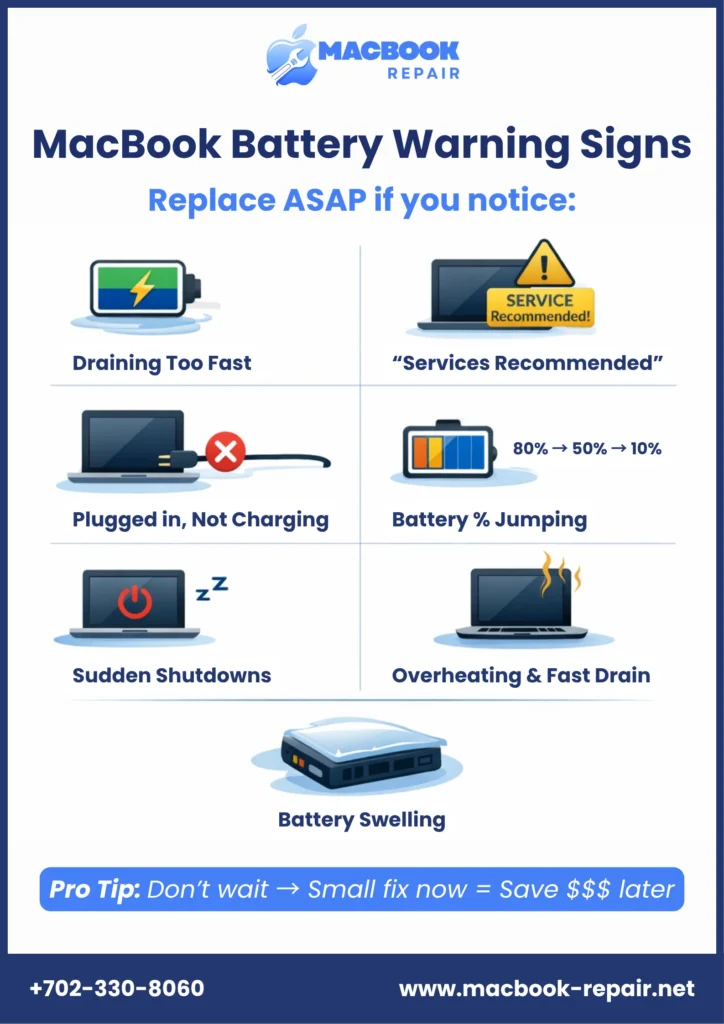
1. Your MacBook Battery Is Draining Fast – Even When Idle
You fully charge your laptop at night. In the morning, the battery is already at 60%. You have not used it at all. This means a MacBook battery is draining fast. Moreover, this can happen due to background processes, an aging battery, or a failing cell. If battery life issues persist, it is likely a hardware issue after software updates.
Thus, you should check your Activity Monitor to see if any apps are using excessive power. If nothing looks out of place, search for a trusted MacBook battery repair shop near you.
2. Your MacBook Shows “Service Recommended.”
Click the battery icon on the top right. Does the battery icon have a yellow triangle, or do you see “Service Recommended”? These are major MacBook battery status warning indicators. Plus, it indicates a serious issue. In fact, your battery can completely shut down, or the MacBook can become very slow.
However, you can check your battery health by going to System Settings > Battery > Battery Health. If your battery health is so poor that it says, “Service Recommended,” you need to find an “emergency MacBook battery replacement service near me.”
3. Your MacBook Plugged In But Not Charging
When you connect the Mac’s charger, you see that the MagSafe light is orange or green. The percentage is stuck. This is the classic MacBook plugged in but not charging situation. It can be an error in the battery management system or the MacBook battery not charging because of a dead cell.
Reset the SMC (System Management Controller). For most MacBooks, you need to shut down the MacBook, hold Shift + Control + Option + and the power button for 10 seconds. So, if this does not work, you need to find a professional “MacBook service center Henderson” for a proper diagnosis.
4. Erratic Changes in Battery Percentage
You start at 50% battery. Then, after opening an app, it drops to 12%. A few moments later, it jumps to 70%. It is a major red flag. Your battery can no longer accurately gauge its charge.
Moreover, this means your MacBook could shut down without warning. This could either lose your work or corrupt files. So, don’t give this the chance to get worse. Search for an expert “MacBook battery fix near me” now.
5. MacBook Shuts Down Even With Battery Left
Your laptop turns off at 30% or 40%. When this happens, and you restart it, the battery is critically low. This indicates a severe battery issue. It means one or more battery cells have died.
Plus, the charge is unstable, which means the MacBook cannot be trusted with the reported percentage. A sudden shutdown is always included in MacBook battery replacement signs. Back up your stuff and find the right shop for same day MacBook battery replacement in Henderson.
6. MacBook Overheating and Battery Draining
Your MacBook near the trackpad or back case is hot. The battery goes down 100% to 20% in less than an hour. The combined issue of overheating and battery drain is serious. Thus, it can cause damage to other components like the logic board or SSD.
Thus, it can change a battery repair cost from $150 to an $800 logic board repair. So, when it overheats, power it off. Then, seek immediate assistance from a MacBook battery replacement specialist Henderson, NV.
7. Physical Swelling
Observe each side of your MacBook. Is the bottom case bulging? Is the trackpad difficult to press? If so, these are indications of battery swelling.
A swollen battery is a risk of catching fire and exploding. It can also damage or break the trackpad, the keyboard, and the logic board. So, avoid any attempts to charge the battery or press the bulging part of the case. Moreover, you need to get a same day MacBook battery replacement Henderson.
5 Best Tips to Maintain MacBook Battery Health
1. Keep Your Battery Between 20% and 80%
A MacBook is not supposed to die completely. Plus, leaving one plugged in at 100% is also not a good habit. 20% is the charge threshold to be plugged in, and 80% is the threshold to be unplugged.
2. Turn On Optimized Battery Charging
In Settings > Battery > Battery Health, you will find it, and you are required to turn it on. It is a setting that allows your MacBook to learn your routine. Thus, it can hold the charge at 80% until it is 100% needed.
3. Always Keep Your MacBook Cool
Heat is more destructive to batteries than anything else. So, do not use your MacBook on soft surfaces like beds, pillows, or blankets. It is also advisable to avoid hot cars and direct sunlight.
4. Don’t Leave it Plugged in 24/7
It is a common mistake to use laptops as desktop computers. They get plugged in for months at a time. In the case of MacBooks, a battery that is kept at 100% for that long will degrade a lot faster.
5. Don’t Forget to Check Your Cycle Count
At some point, battery life for every MacBook will expire. Apple estimates them to last for about 1000 charge cycles. Each complete use of the battery is considered one charge cycle. Thus, here is how to check: Apple logo > About this Mac > System Report > Power. Then, look for the Cycle Count as follows:
- Under 500: Excellent health
- 500 – 800: Normal aging
- 800 – 1000: Start planning for MacBook battery replacement, Henderson, NV
- Over 1000: Time to replace
Find Same-Day MacBook Battery Replacement Henderson
Signs show when MacBook batteries are approaching the end of their lives. So, they should not be ignored. Early MacBook battery warning signs, such as a draining battery, sudden shutdown, swelling, or service warning, could save you hundreds of dollars if action is taken on time.
In simple terms, if you see a battery service warning, it’s the right time for a battery replacement. So, as soon as you see any of the 7 signs, act smartly. Look for MacBook battery replacement service near me or directly visit our most trusted shop in the town. Our certified technicians offer professional MacBook battery repair and replacement services in Henderson on a budget.
Related: How to fix Swollen Macbook Battery?