Skip to content
A cracked MacBook screen can turn a normal day into a stressful one. The moment you see a fracture on the display, your heart sinks a little. You worry about losing your work, spending money on repairs, and finding a service you can trust. Although the situation feels upsetting, you can handle everything smoothly when you follow the right steps.
This complete guide helps you take action with confidence. It keeps your data safe, reduces repair costs, and connects you with MacBook screen repairs at macbook-repair.net, one of the city’s most trusted service providers. You also receive free diagnosis, along with a ten percent discount for veterans, senior citizens, and students.
Let’s walk through everything you should do next.
Why MacBook Screens Crack More Easily Than You Think
MacBook screens are designed with thin glass and high-resolution panels. They look beautiful, but they are fragile. Even a light drop, a bump, pressure from a bag, or closing the lid with something on the keyboard can cause a crack.
Here are the most common reasons:
- Pressure inside a backpack
• Accidental drops on hard surfaces
• Closing the lid on a charger or pen
• Overheating that weakens the glass
• Manufacturing stress on older models
• Sudden impacts during travel
Understanding what caused the damage helps you avoid the same problem after macbook screen repairs.
Step 1: Check the Damage Carefully
Before doing anything else, take a moment to understand the level of damage. This helps you decide how urgent the repair is.
What to look for
- Thin hairline cracks
• Spider-web cracks spreading across the screen
• Multi-color vertical lines
• Black spots
• Flickering visuals
• Dead zones where touch or display no longer responds
Move slowly while observing the screen. Even slight pressure can make the crack grow.
Why this step matters
- It helps you explain the issue to the technician
• It tells you whether the device is safe to use
• It prevents further pressure and display damage
Once you see the damage clearly, take the next step right away.
Step 2: Turn Off Your MacBook Immediately
Turning off the device protects the internal components. Many people continue to use the MacBook after a crack, which often makes the screen worse.
Why you should shut it down
- Heat can spread the crack
• Internal connectors can loosen
• Liquid crystal can leak into other areas
• The backlight can fail completely
If you must save your work, do it quickly. Try not to keep the display active for long. The goal is to stop the device from creating more stress on the damaged screen.
Step 3: Back Up Your Data Before the Screen Gets Worse
A cracked MacBook display can fail at any moment. You may suddenly lose visibility. Before you take your MacBook for repair, secure your files.
Best options for backup
- Time Machine to an external drive
• Manual copy to an external USB drive
• iCloud backup
• AirDrop to another device
• External monitor using HDMI or USB-C
If your display is too damaged to see
You can still connect the MacBook to an external display. This gives you full access to your system so you can back up every file safely.
Backing up now saves you from stress later.
Step 4: Avoid DIY Fixes or Cheap Temporary Hacks
After seeing a crack, you might feel tempted to fix it yourself. However, DIY attempts often make the damage worse.
Avoid these risky tricks
- Pressing on the screen
• Using tape on the display
• Applying glue
• Heating the screen to “fix pixels.”
• Using random cleaning solutions
These methods can cause:
- Deeper cracks
• Backlight failure
• Damage to the logic board
• Higher repair costs
MacBook screen repairs require experience, tools, and careful dismantling. A DIY fix usually leads to more trouble.
Step 5: Visit a Trusted MacBook Screen Repairs Expert in Las Vegas
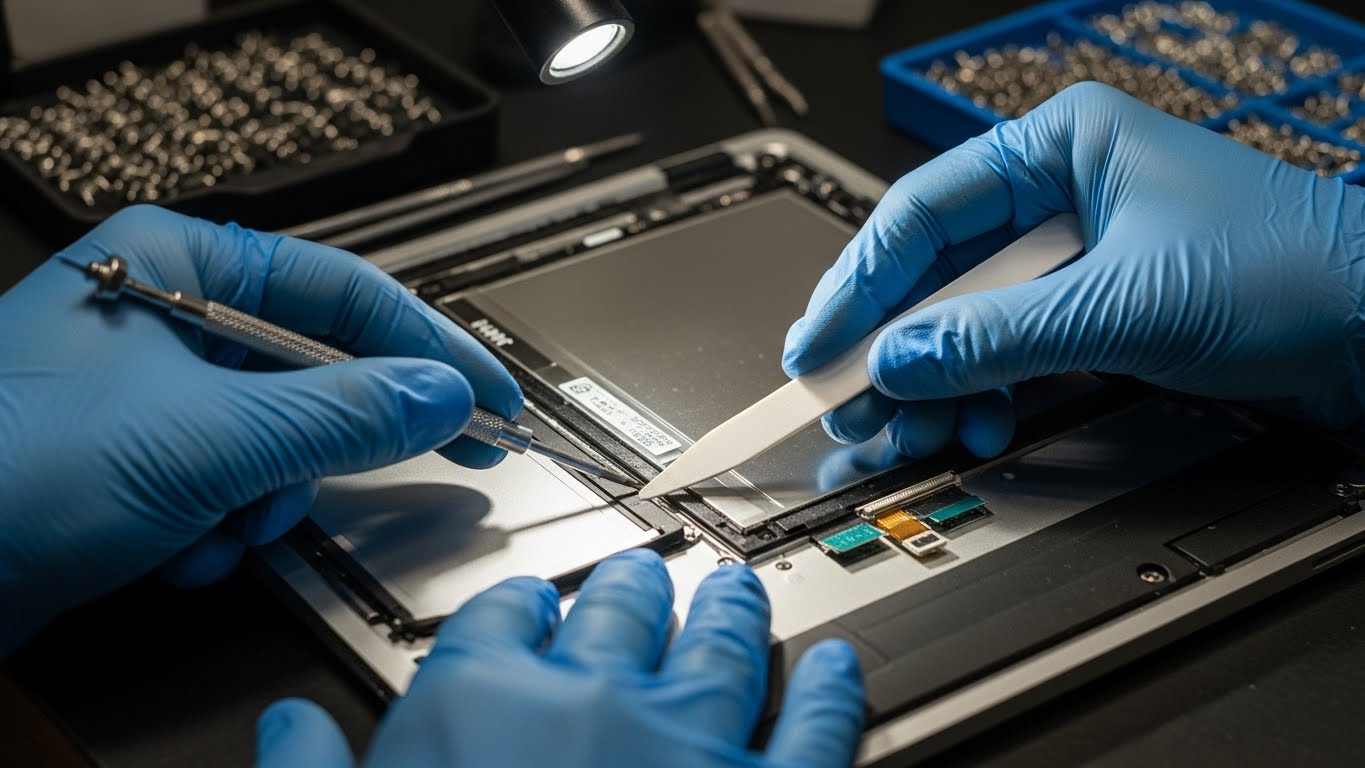
After securing your data, the smartest choice is to bring your device to a professional. This ensures a safe replacement and protects the integrity of other components.
Why macbook-repair.net is a top choice in Las Vegas
You get:
• Free diagnosis for every MacBook model
• Ten percent discount for veterans, senior citizens and students
• Fast screen replacement
• High quality parts
• Skilled technicians trained in MacBook hardware
• Honest pricing without hidden fees
What their diagnosis includes
- Screen damage inspection
• Display connector check
• Backlight test
• Hinge condition
• Internal damage review
The team explains the issue, the cost and the timeline clearly. You stay in control of the decision.
Step 6: Understand Your Repair Options
Not every crack requires the same solution. The technician helps you choose the right repair based on model type and damage level.
Possible repair options
- Full screen replacement
• Display assembly replacement
• Hinge adjustment
• Connector repair
• Flex cable replacement
When full replacement is necessary
- Deep cracks
• Black bleeding spots
• No display at all
• Heavy flickering
• Touch function failing
• Multiple vertical lines
MacBook screens are fused tightly with internal layers. Because of this, most cracked screens need complete replacement for proper performance.
Step 7: Compare Costs Before Making a Decision
Before approving a repair, compare your options.
Apple Store repair
- Reliable
• High quality
• Expensive
• Long waiting time
• No discount unless AppleCare covers it
Local repair shop
- Faster service
• More affordable
• Flexible pricing
• Extra discounts
• Free diagnosis at macbook-repair.net
Important things to check
- Warranty on parts
• Warranty on labor
• Type of screen used
• Experience of the technician
Choosing carefully helps you get the best value.
Step 8: Protect Your MacBook After the Repair
Once your MacBook screen is replaced, take simple steps to prevent the same problem.
Helpful habits
- Use a padded laptop sleeve
• Keep heavy items away from your bag
• Never close the lid on chargers or accessories
• Place your MacBook on stable surfaces
• Avoid pressing on the top cover
• Clean the device with a soft cloth only
Small habits save you from another costly repair.
Why Acting Quickly Saves You Money
Many users delay repairs because they hope the crack will stay the same. However, display damage spreads with heat, pressure and time.
When you repair early, you prevent:
- Internal damage
• Backlight failure
• Logic board issues
• More expensive repairs later
Quick action protects both your MacBook and your budget.
Final Words!
A cracked MacBook screen feels overwhelming at first, yet you can handle it with calm steps. You check the damage. You turn off the device. You protect your data. You avoid home fixes. Then you visit a trusted specialist.
At macbook-repair.net in Las Vegas, you receive free diagnosis, fast repairs and a ten percent discount for veterans, seniors and students. With expert care and high quality parts, your MacBook returns to perfect condition.