
Wondering what has happened to your MacBook battery life? Typically, a modern MacBook battery lasts up to 1,000 charge cycles while the legacy models (launched before 2010) lasts up to 300-500 cycles. It gradually starts to degrade after about 5 years of moderate use. So, if you are somewhere in between facing MacBook battery issues in Henderson, you should observe your device carefully. In this article, we will discuss MacBook battery lifespan and when does MacBook battery need replacement.
How Long Does A MacBook Battery Last For Different Models?
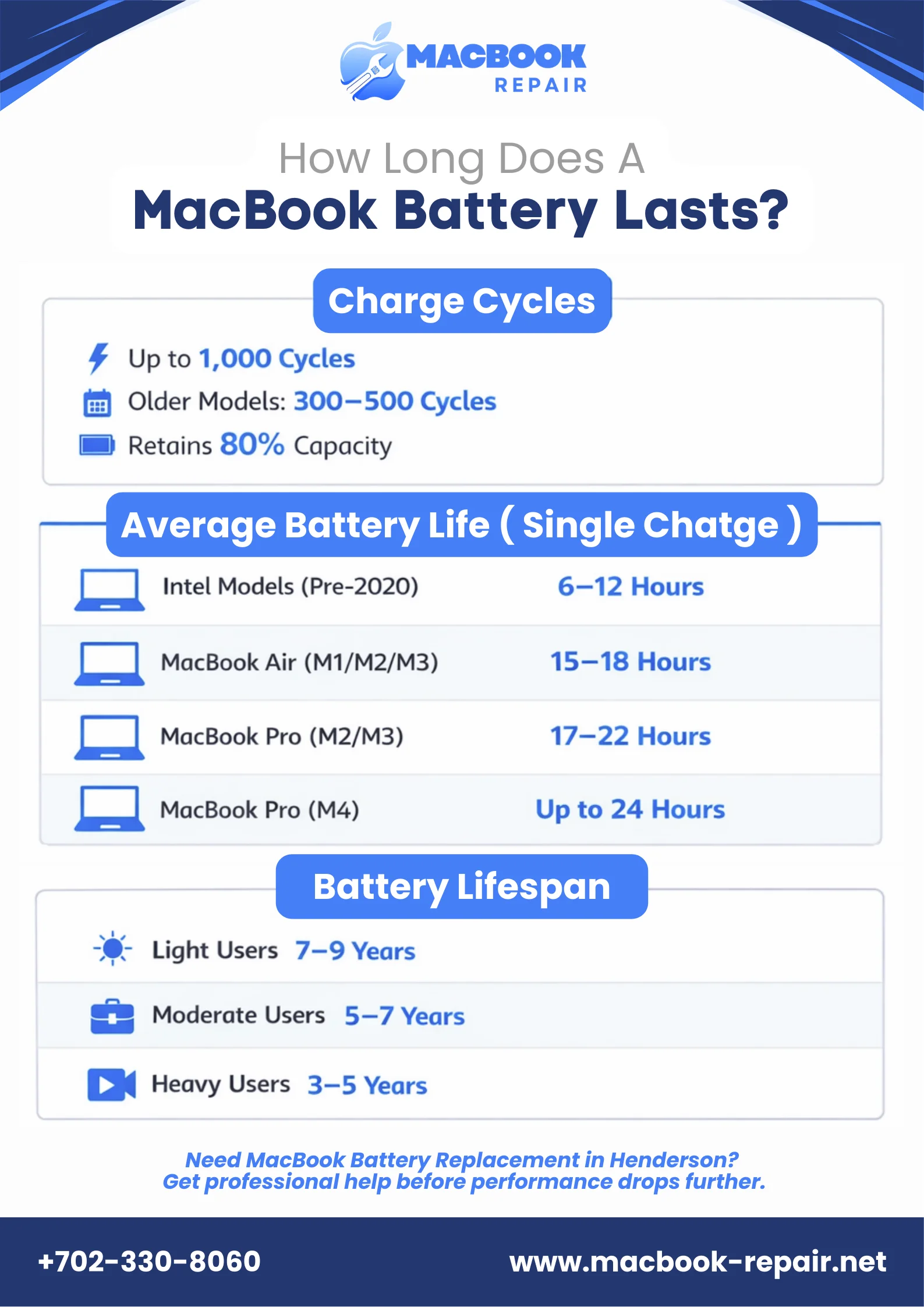
Usually a MacBook battery lasts 10 to 22 hours on a single charge. Sometimes, the Apple MacBook battery cycles depend on the models as well. Newer models with the M-series chips last longer and endure more intensive tasks such as heavy coding and 4K video editing. Let’s have a look at the average lifespan of each MacBook belonging to the M-series.
Older Intel MacBooks
If you own one of the older Intel MacBooks, including the Air launched before 2020 or the Pro launched before 2021. You can hope that it gives up to 10 hours of wireless web and Apple TV playback. If you own MacBook Air models, you might get up to 11-12 hours of web browsing in one battery cycle, which could easily drop to 6-8 hours in real-world mixed use.
On the other hand, the Intel Pro models battery
MacBook Air (M1/M2/M3)
MacBook Air M1/M2/M3, all versions of chips have somewhat similar battery life. An 13-inch M1, M2, and M3 Air provides up to 15 hours wireless web playback and 18 hours Apple TV movie playback. While M1 Air is the pioneer of fanless efficiency with 4 performance and 4 efficiency cores for all-day use, M2 boosted the speed around 1.4x more and M3 took it to a bit higher performance levels without the extra battery drains.
MacBook Pro (M2/M3 Series)
MacBook Pro M2 series (2022-2023) and M3 series (2023) models use lithium-polymer battery which lasts up to 17-22 hours. M2 14-inch MacBook Pro delivers up to 18 hours of video playback and 15 hours of wireless web, while the 16-inch reaches 22 hours video.
MacBook M3 14-inch, on the other hand, has the capability to achieve up to 22 hours of movie playback and 15 hours of web browsing. But, with an 16-inch M3 Max, you can get nearly 19 hours of battery backup.
M2 and M3 chips enhance the life of your MacBook battery through better CPU/GPU balance and low idle draw. M3’s 2nm process has more transistors, ensuring better performance at the same power as compared to M2 chips.
MacBook Pro (M4 Series, 2024/2025)
The recent edition of MacBook Pro M4 has one of the longest lasting battery cycles. It offers up to 24 hours of video playback on the 16-inch M4 Max.
If you own a Mac from the M4 series, you must have noticed the significant difference in the battery life as compared to other Macs. The M4 series has batteries that can last up to 16 hours of web browsing, which is actually mind-blowing. So, what makes the MacBook M4 battery so long-lasting?
Actually, it is the M4 chips that boost your Mac’s battery life through six efficiency cores. It manages the power efficiently to deliver higher performance even at lower power draw. You can easily consider the M4 series battery life the best ever in a Mac.
MacBook Battery Lifespan Years
MacBook batteries retain up to 80% of their original capacity at their maximum cycle count. How long your battery is going to last depends totally upon the type of user you are. So, how long should a MacBook battery last depending on the usage? Let’s find out!
- Light Users (7-9 years): If you use your Mac for brief sessions, using it mostly while it is plugged in will help it last longer. For light users, you may only go through 100-120 cycles per year.
- Moderate or Office Users (5-7 years): If you use your Mac for some mobile work or moderate usage, it will hit around 1000 cycles in 5 years.
- Heavy or Pro Users (3-5 years): If you use your Mac for intensive video editing or constant mobile use can burn through around 200 cycles annually. It leads to earlier degradation of the battery.
When Does MacBook Battery Need Replacement?
A MacBook battery generally needs replacement when its maximum capacity drops below 80% of its original capacity. So, if your macOS system displays a “Service Recommended” warning or you start noticing unexpected shutdowns or rapid battery drains. If you also observe any physical changes in the battery such as swollen battery, slow performance when your Mac is unplugged, or overheating. You can check the battery health and call the experts for MacBook battery replacement in Henderson to improve your productivity.