Skip to content

Accidentally Spilled Water On Your MacBook? A liquid spill could be a death sentence for your MacBook. Even minor splashes of liquid can seep into the internal display layer of your MacBook, as it is not watertight. While other Apple devices, such as iPhones, have higher water resistance, MacBooks are neither waterproof nor water-resistant. So, what do you do when you spill liquid on your MacBook screen? Let’s find out when you actually need MacBook screen repair in Henderson, NV, after spilling liquid.
Immediate Actions After You Spilled Water On Your MacBook
MacBook screens are susceptible to damage due to their thin design. Water damage needs immediate care. Follow these steps to ensure your laptop is safe until you take it to the professionals.
1. Immediate Emergency Shutdown
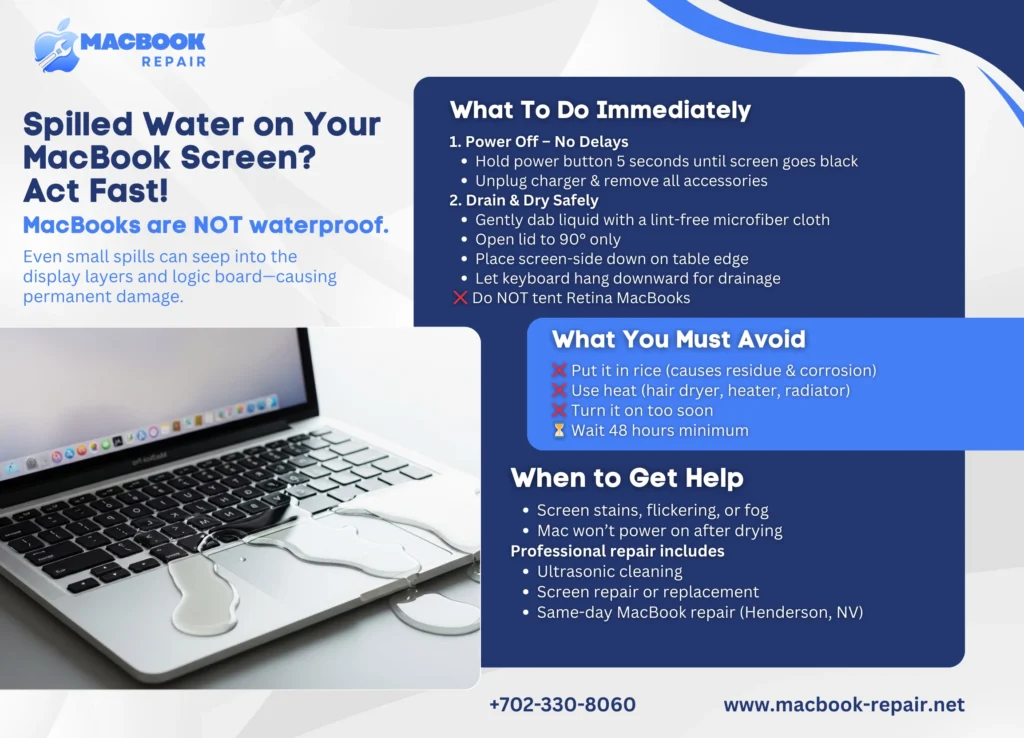
After a liquid spillage, you should immediately cut the power sources and force shut the laptop down. You can do this by following these steps:
- Press and hold the power button for at least 5 seconds until your MacBook screen goes black
- Unplug all the power sources and chargers to ensure there are no electrical hazards
- Remove all the peripherals to avoid damaging them, such as USB drives, monitors, and any other accessories.
2. Dry Out The Device
Once you power off the device, you will have to position it to ensure the water drains out. This step is particularly important to prevent liquid from entering the delicate internal layers of the screen or onto the logic board. Follow these steps to ensure your MacBook is safe and secure:
- Use a lint-free cloth, particularly microfiber, to gently dab any visible liquid from the MacBook screen and its surrounding area.
- Modern MacBooks with Retina screens should not be placed in a “tent” position to prevent liquid from seeping into the backlight film.
- Instead, you can open the lid to a 90-degree angle and place it screen-side-down on the edge of a flat surface. The keyboard should be hanging off the edge.
What You Should Never Do After Spilling Liquid On Your MacBook
With the influx of TikTok reels and IG reels, Apple users are told about the quick fixes every single day. If you want to ensure your Mac lives a longer life, you need to avoid doing these things.
1. Do Not Fall For The Rice Trap
Contrary to popular belief, putting your MacBook inside a bag filled with raw rice will not help in the drying process. Instead, it can aggravate a few problems, including corrosion and contamination.
Rice dries too slowly to prevent corrosion, and rice dust can mix with moisture to form a paste or some form of “goo” inside your MacBook. Rice trapped between the keyboard and the screen can exert pressure and crack the delicate glass of your screen.
2. Avoid Using High Heat
Another more tempting DIY hack could be using a radiator, hair dryer, or a heater to speed up the process of evaporation. Even though it sounds like a nice idea, it can severely damage your MacBook as excessive heat can warp delicate plastic components and also melt seals or adhesives.
3. Do Not Test The Power Too Soon
Sometimes, people, after dropping liquid on their MacBooks, feel too anxious to wait for the perfect moment. Rushing to open your MacBook to see if it is still working is a common mistake. Even if your MacBook seems fine, internal moisture can cause a short circuit whenever current flows through the system. So, instead of rushing to open your MacBook, at least give it 48 hours before opening your device.
If you’re unsure about when to call in the experts, keep reading for these six signs that indicate you should seek immediate professional help.
Contact Experts If You Spilled Water On Your MacBook!
While it may not seem like a big issue, water or liquid spillage can cause detrimental effects on your Mac. You can wait for your device to dry out properly and then visit MacBook screen repair experts in Henderson, NV to get advanced ultrasonic cleaning.
Professional technicians employ advanced tools to ensure your MacBook is revived properly with professional cleaning. You can visit our shop for same-day MacBook repair in Henderson to resolve screen issues and restore your device. From surface cleaning to display assembly replacement, our technicians are well-equipped to face every problem.