
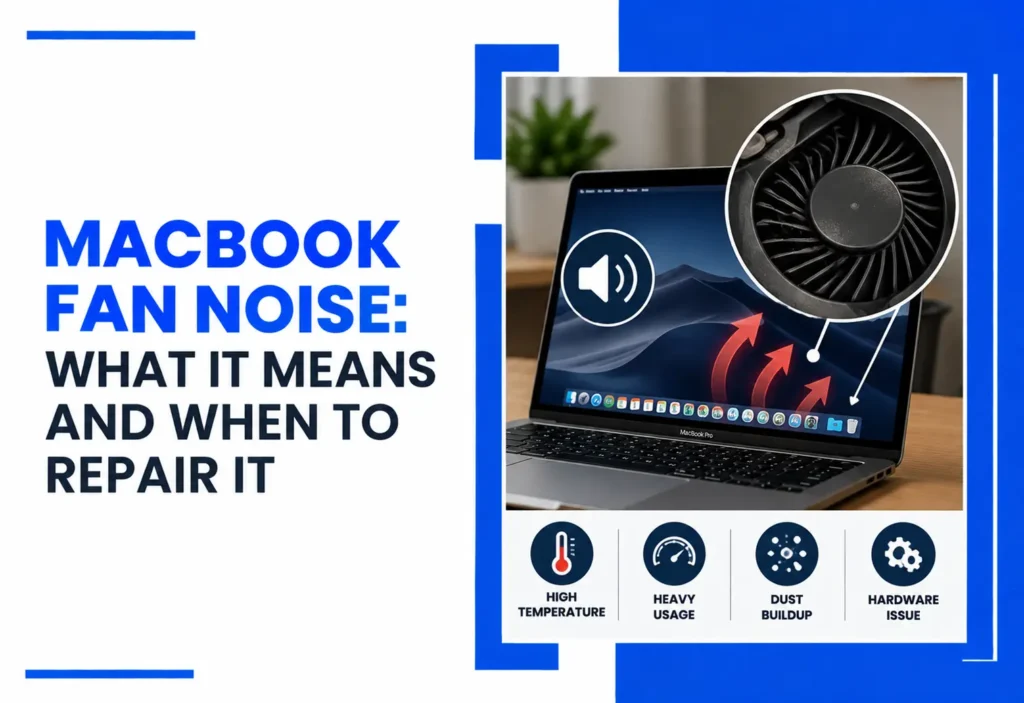
Hearing your MacBook fan suddenly get loud can be worrying, but fan noise does not automatically mean your MacBook needs a new fan. Fans normally speed up when the processor is handling demanding work or the system needs more cooling. Apple explains that intensive processor activity and higher ambient temperatures can cause Mac fans to run faster as part of normal cooling.
The concern is when the noise stays unusually loud during light use, keeps returning, or comes with overheating, slow performance, shutdowns, or grinding and rattling sounds. In those situations, the right approach is to diagnose the cause before replacing a component.
In our MacBook repair shop in Las Vegas, we often start by checking workload, ventilation, background processes, and thermal behavior before recommending any fan replacement. This matters because the fan itself may be working normally while another issue is increasing cooling demand.
Is MacBook Fan Noise Normal?
Yes, MacBook fan noise can be normal when the system is handling demanding work or operating in a warm environment. It becomes more concerning when the fan stays unusually loud during light use, or the noise occurs with overheating, slow performance, shutdowns, or mechanical sounds such as grinding or rattling.
If you’re in Las Vegas or Henderson and your MacBook fan stays unusually loud, bring it in for an in-person diagnostic. Our technicians can help determine whether the cause is workload, software, airflow, cooling hardware, or another component. Call Us Now: 7023308060 |
Why Is My MacBook Fan So Loud?
A MacBook fan becomes louder when the system needs to move more heat away from internal components. In simple terms, greater processing activity can generate more heat, which can increase cooling demand and fan activity.
Apple lists activities such as video processing, graphics-heavy tasks, and Spotlight indexing as examples that can make fans run faster. Higher ambient temperatures can also cause fans to start sooner and run faster.
Common reasons for increased MacBook fan activity include:
- Heavy CPU or GPU workloads
- Video editing, rendering, or other intensive processing
- Background processes or indexing
- High ambient temperature
- Blocked or restricted ventilation
- Dust or debris affecting airflow
- External displays or peripherals increasing workload
- Cooling fan or thermal-system problems
- Other hardware faults
That is why loud fan noise is a symptom, not a diagnosis.
When Is MacBook Fan Noise Normal?
Fan noise is usually less concerning when it occurs during demanding work and settles after the workload decreases. The duration and context matter more than volume alone: a fan that becomes audible during sustained heavy work may be behaving normally, while persistent fan activity during light use deserves investigation.
You may notice increased fan activity during:
- Video editing or exporting
- Graphics-intensive applications
- Large file processing
- System indexing
- Other sustained processor-intensive tasks
Apple recommends using a Mac laptop on a stable surface with good ventilation and avoiding soft surfaces such as beds, pillows, and bedding. Apple also recommends an ambient operating temperature between 50°F and 95°F (10°C–35°C). This refers to ambient operating conditions, not a universal internal MacBook temperature target.
The more useful question isn’t simply “Is my fan loud?” It’s “Is the fan behaving differently from what I’d expect for the work I’m doing?”
What Causes a Loud MacBook Fan During Light Use?
If your MacBook sounds like it’s working hard while you’re only browsing or doing simple tasks, investigate the workload before assuming there’s a hardware failure.
Open Activity Monitor and check CPU activity. An application or background process consuming substantial resources can keep the system busy and increase cooling demand. Apple specifically recommends Activity Monitor for investigating unexpected fan use.
Also check:
- Whether the MacBook is sitting on a hard, unobstructed surface
- Whether an external display or peripheral is increasing workload
- Whether macOS has pending updates
- Whether restarting changes the behavior
- Whether the problem returns repeatedly
If the fan remains loud despite light workloads and proper ventilation, the issue deserves closer attention.
Start with the simplest explanation: check whether an application or background process is using significant CPU resources. If CPU activity looks normal, check ventilation, recent software changes, external displays, and whether the behavior continues after restarting.
If you see kernel_task using substantial CPU, don’t automatically assume it is the cause of the overheating. Apple explains that kernel_task can increase its activity as part of managing CPU temperature.
Can MacBook Fan Noise Mean My MacBook Is Overheating?
It can be associated with increased thermal demand, but fan noise alone does not prove that a MacBook is overheating. Fans are part of the system’s normal thermal-management response. Fan activity is one of the ways a Mac manages heat.
More concerning signs include:
- Persistent excessive fan activity
- Significant performance slowdowns
- Repeated overheating
- Unexpected shutdowns
- System instability
- Fan noise during very light workloads
- Grinding, rattling, or clicking sounds
- A MacBook that becomes unusually hot while the fan does not appear to respond normally
Apple also explains that kernel_task may use substantial CPU resources when the system is managing CPU temperature. In that situation, kernel_task is responding to thermal conditions rather than necessarily causing them.
MacBook Fan Running Loud? A loud fan can have several causes. An in-person diagnostic can help determine whether the problem is workload, software, airflow, cooling hardware, or another component. |
What Common MacBook Cooling Problems Do We Diagnose?
Depending on the MacBook model and symptoms, our technicians may investigate problems such as:
- Persistent loud fan operation
- Cooling fan failures
- Fan-related mechanical noise
- Airflow restrictions
- Cooling-system problems
- Thermal-management issues
- Heat-related performance problems
- Hardware faults affecting cooling
Our A+ certified technicians evaluate the system as a whole rather than assuming that fan noise automatically means fan replacement.
What Does the Diagnosis Look For?
| What You Notice | Possible Explanation | What to Check Next |
| Fan gets loud during heavy work | Higher processing demand | Check workload |
| Fan stays loud during light use | Software, background activity, heat, or cooling issue | Check Activity Monitor and ventilation |
| Fan is loud with poor performance | Thermal or system-related issue | Consider professional diagnosis |
| Grinding or rattling | Possible mechanical issue | Have the MacBook inspected |
| Fan noise plus shutdowns | Possible thermal or hardware issue | Seek professional diagnostics |
These symptoms can have multiple causes and do not establish a diagnosis by themselves.
What Does a MacBook Fan Noise Diagnostic Check?
A proper inspection can include:
- Fan behavior: Does it respond normally to changing workloads?
- CPU/GPU activity: Is software creating excessive processing demand?
- Thermal behavior: Is the system responding normally to heat?
- Background processes: Is something unexpectedly keeping the processor busy?
- Airflow: Are ventilation or physical conditions affecting cooling?
- Cooling components: Is the fan or another cooling component malfunctioning?
- Power and charging behavior: Is unusual heat associated with charging?
- Internal hardware: Could another component be contributing to the problem?
- Post-repair testing: Does the MacBook operate normally after service?
- Application and background activity: Are specific processes keeping the system under sustained load?
This diagnosis-first approach matters because fan noise can originate from something other than the fan.
When a replacement component is necessary, we use OEM-equivalent aftermarket parts or other suitable replacement components based on the MacBook model and repair requirements. We do not represent aftermarket parts as genuine Apple parts.
Don’t Assume the Fan Is the Problem. If your MacBook remains loud during ordinary use, an in-person diagnostic can help determine whether the cause is software, airflow, cooling hardware, or another internal component. |
What Can You Try Before Booking a Repair?
Start with simple, low-risk checks:
- Restart the MacBook.
- Close unnecessary applications.
- Check CPU activity in Activity Monitor.
- Install available macOS updates.
- Move the MacBook onto a hard, flat, unobstructed surface.
- Disconnect unnecessary external displays or peripherals temporarily.
- Let an unusually hot MacBook cool before continuing intensive work.
Apple recommends checking Activity Monitor when a Mac runs warm without intensive tasks or its fans run for an extended period.
Avoid opening the MacBook or attempting internal fan repair yourself unless you have appropriate hardware experience.
Use the MacBook on a stable, hard surface with unobstructed ventilation. Apple advises against using Mac laptops on beds, pillows, or bedding because these surfaces can restrict ventilation.
WARNING: Don’t rely on a third-party temperature app alone to diagnose a hardware fault. Apple notes that these apps may not measure the same temperatures relevant to the external case or system behavior. |
When Should I Stop Troubleshooting a Loud MacBook Fan?
If basic checks do not change the behavior, or if fan noise occurs with grinding, rattling, repeated shutdowns, severe performance problems, or unusual heat, stop troubleshooting and have the MacBook professionally inspected. Continued operation under abnormal conditions may make it harder to determine the original cause.
When Does MacBook Fan Noise Require Repair?
Professional diagnosis makes sense when:
- The fan stays unusually loud during light use.
- You hear grinding, rattling, or clicking.
- The MacBook repeatedly overheats.
- Unexpected shutdowns occur.
- Normal tasks become unusually slow.
- The fan appears not to operate when cooling is needed.
- Basic troubleshooting doesn’t resolve the issue.
- The problem repeatedly comes back.
Not every persistent fan issue requires a fan replacement. Depending on the diagnosis, the solution may involve software troubleshooting, improving airflow, maintenance, or repairing another component.
Some fan problems can be resolved through troubleshooting or correcting airflow conditions. Repair becomes appropriate when testing identifies a failed or damaged component or another hardware-related fault.
How Can We Help With Persistent MacBook Fan Noise?
If basic troubleshooting hasn’t solved the problem, bring your MacBook in for an in-person diagnostic in Las Vegas or Henderson. We provide in-person MacBook diagnostics and repair for customers in Las Vegas and Henderson. Because fan noise can have several possible causes, we diagnose the system before recommending a specific repair.
Our A+ certified technicians focus on identifying the cause before recommending repair. We focus on careful diagnosis, transparent repair recommendations, and appropriate replacement parts for the specific MacBook model.
Same-day service may be available depending on the diagnosis, repair required, and parts availability. Eligible repairs are covered by our 90-day warranty, subject to the terms of our warranty policy.
Frequently Asked Questions
Why Is My MacBook Fan So Loud?
Usually, the fan is responding to increased processing demand or heat. If it stays loud during light use, check Activity Monitor, ventilation, and background processes.
Is It Normal for a MacBook Fan to Make Noise?
Yes. Fan noise is normal during demanding tasks because the cooling system responds to increased internal heat.
How Do I Stop My MacBook Fan From Running Loud?
Reduce demanding workloads, close unnecessary apps, check Activity Monitor, improve ventilation, restart, and update macOS.
Does a Loud MacBook Fan Mean It Is Overheating?
Not necessarily. Fan activity is part of normal cooling, but persistent noise with other symptoms deserves investigation.
When Should I Get MacBook Fan Repair?
Seek professional diagnosis for persistent noise, mechanical sounds, overheating, shutdowns, major slowdowns, or recurring cooling problems.