
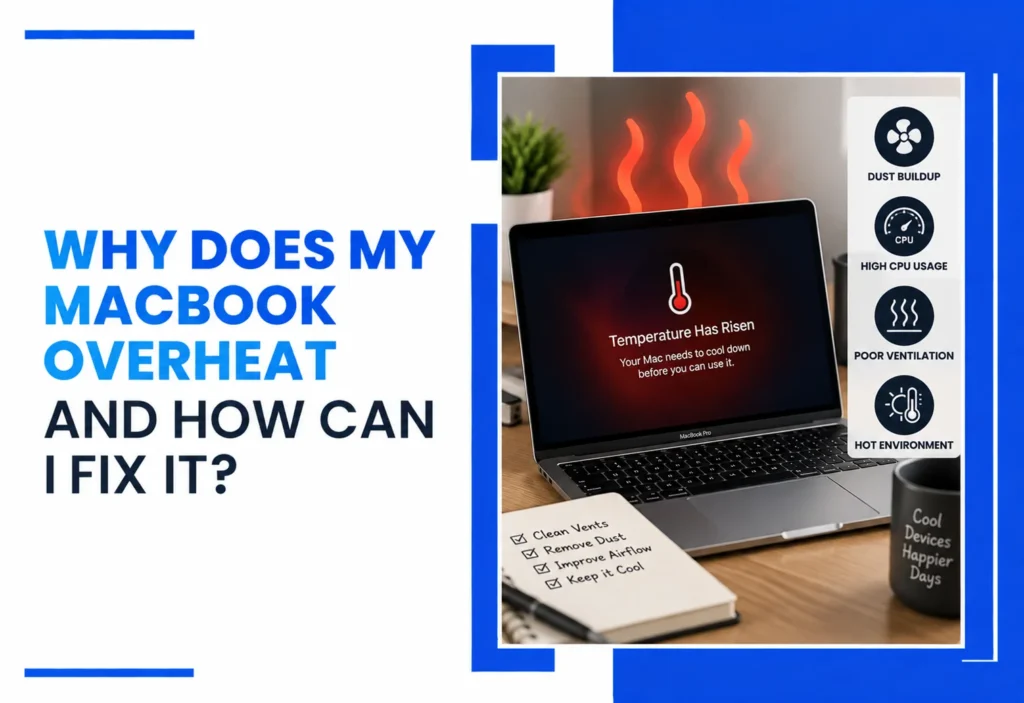
A MacBook can overheat because of heavy workloads, demanding background processes, restricted airflow, fan problems, battery issues, or another hardware fault. Start with safe steps such as restarting, checking Activity Monitor, updating macOS, and improving airflow. If overheating continues during light use or causes shutdowns, a professional diagnosis can identify the underlying problem and help fix MacBook overheating issue safely.
A MacBook running warm during video editing or a big export is normal. But a MacBook that’s constantly hot, has its fan running nonstop, slows down unexpectedly, or shuts off without warning is telling you something different.
Overheating usually comes down to a heavy workload, too many background processes, blocked airflow, dust buildup, a struggling fan, a battery problem, or an internal thermal issue. Some causes can be addressed yourself in minutes, while others require proper diagnosis before any repair is attempted. This guide walks through both, helping you understand the cause and determine the best way to fix MacBook overheating issue.
Quick Answer: Why Is My MacBook Overheating?
A MacBook may overheat because of heavy workloads, background processes, restricted airflow, fan problems, battery issues, or other hardware faults. Restarting, checking Activity Monitor, updating macOS, and improving airflow can help with minor cases. Persistent overheating, swelling, unusual smells, or repeated shutdowns should be professionally diagnosed.
Why Does My MacBook Overheat?
Most MacBook overheating comes from the system working harder than its cooling design can comfortably keep up with, or from something physically restricting the heat from escaping.
Common causes include:
- Heavy applications: video editing, 3D rendering, and large exports push the CPU and GPU hard.
- Too many background processes: browser tabs and cloud sync tools quietly eat processing power.
- Dust and restricted airflow: dust in the fan and heat sink traps heat that would otherwise escape.
- Fan problems: a failing, unbalanced, or blocked fan won’t move enough air.
- macOS or software issues: a buggy update or runaway process spikes CPU usage.
- Charging and power-related heat: Charging can add some heat, particularly when the MacBook is also handling demanding workloads. An incompatible or faulty power adapter can also create charging problems and should be inspected if unusual heat occurs.
- Battery problems: an aging or swelling battery generates heat and stresses nearby components.
- Hot surroundings: direct sun, a warm car, or a soft surface that blocks vents.
- Internal hardware faults: degraded thermal interface material or another cooling-system issue.
| TECHNICIAN INSIGHT: One important diagnostic point: the same overheating symptom can have very different causes. A fan running loudly may be responding normally to a heavy workload, or it may indicate restricted airflow or a hardware problem. That is why technicians should diagnose the cause rather than automatically replacing the fan. |
| CTA SECTION: Not sure which of these applies to your MacBook? Get a Free Diagnostic |
Is It Normal for a MacBook to Get Hot?
Yes, to a point. Warmth on its own isn’t a red flag. It’s what comes with the heat that matters.
Normal warmth shows up during:
- Video editing or rendering
- Gaming
- Large file transfers
- Software compilation
- Extended external-display use
- Heavy multitasking
Warning signs that go beyond normal warmth:
- Fan running constantly, even during light use
- Severe, sudden performance slowdown
- Unexpected shutdowns
- Extreme surface heat you can’t comfortably touch
- Noticeable thermal throttling
- A burning smell
- Battery swelling (a bulging trackpad or case)
- Heat concentrated in one spot rather than spread across the case
Heat alone doesn’t mean your MacBook needs repair. It’s the combination of heat with these other symptoms that signals a real problem.
What Are the Most Common Signs of MacBook Overheating?
Watch for:
- Fan running constantly
- Sudden slowdown during normal tasks
- Apps freezing or becoming unresponsive
- Unexpected shutdowns
- Excessive surface heat
- Battery draining faster than usual
- Heat concentrated in one area of the case
- Getting hot during light use, not just heavy tasks
Noticing two or three of these together is worth investigating rather than ignoring.
What Causes MacBook Cooling Problems?
A MacBook cools itself through fans, heat sinks, heat pipes (on higher-performance models), and thermal interface material that moves heat away from the CPU and GPU. Temperature sensors feed data to macOS, which adjusts fan speed and, when needed, throttles performance to protect the hardware.
When any part of that chain breaks down a slow fan, dust blocking airflow, dried thermal paste, or a bad sensor reading heat has nowhere to go.
Different MacBook generations manage heat differently. Apple silicon and Intel-based MacBooks use different thermal designs, so expected fan behavior and cooling characteristics vary by model. A MacBook that feels unusually hot should be evaluated in the context of its specific model and workload.
How Can I Fix an Overheating MacBook at Home?
Before assuming the worst, try these safe steps; none require opening the case:
- Restart the MacBook. This clears stuck background processes.
- Check Activity Monitor for apps using unusually high CPU.
- Close unnecessary applications and browser tabs.
- Install pending macOS updates, which often include performance fixes.
- Review Login Items and disable apps you don’t need at startup.
- Use a hard, flat surface instead of a bed, couch, or lap.
- Keep vents unobstructed; check the underside and rear hinge area.
- Avoid direct sunlight or hot environments, including cars.
- Disconnect unnecessary peripherals and hubs, which can add heat.
- Back up your data if overheating comes with freezing or instability.
Do not continue using a MacBook with a visibly swollen battery, burning smell, smoke, or signs of liquid damage. Shut it down and seek professional assistance instead of attempting an internal repair.
These steps solve overheating driven by software or environment. What they can’t fix is a failing fan, a battery problem, dried thermal paste, or a hardware fault; those need a technician to open the machine safely.
When Should I Stop Troubleshooting and Get MacBook Repair?
Consider a professional diagnosis if you notice:
- Overheating that persists after trying the steps above
- Fans running constantly, even at idle
- Repeated or unexplained shutdowns
- Severe, ongoing performance throttling
- A swollen battery
- Any liquid exposure
- A burning smell
- Visible physical damage
- Overheating during light, everyday use
- A MacBook that won’t boot after overheating
A professional diagnosis should identify the actual cause before any component gets replaced. Swapping a fan or logic board without knowing the root cause risks paying for a repair that doesn’t fix the problem.
| CTA SECTION: Seeing any of these signs? Schedule Your MacBook Diagnostic |
What Do Our Certified Technicians Check When a MacBook Overheats?
Our MacBook overheating fix service starts with diagnosis, not guesswork. Our experienced certified technicians in Henderson start with diagnosis rather than guessing at the cause.
- Fan operation and speed under load
- CPU/GPU behavior during controlled testing
- Airflow and internal dust buildup
- Battery health and charging behavior
- Signs of liquid exposure or corrosion
- Logic-board-related faults
- Background processes and software behavior
- Thermal performance before and after service
The goal is to identify the source of the heat before recommending a repair. Overheating can come from software, airflow, cooling components, the battery, or other hardware, so replacing a part without diagnosis can waste money without solving the underlying problem.
Can MacBook Overheating Damage the Computer?
Yes, sustained overheating can cause real problems. Heat triggers performance throttling to protect components, but repeated or extreme heat exposure can also accelerate battery wear, stress internal components, and repeated or excessive heat can contribute to battery wear, performance problems, and stress internal components. According to Apple’s own guidance, operating a Mac outside its recommended ambient temperature range can affect performance and battery life. If your MacBook regularly runs hot, addressing persistent overheating early may help prevent the problem from becoming more complicated.
How Much Does MacBook Overheating Repair Cost?
There is no reliable single price for MacBook overheating repair because the symptom does not identify the failed component.
A software-related issue may require no hardware replacement, while a fan, battery, liquid-damage, or logic-board problem can require a very different repair.
Cost depends entirely on the cause, which is why diagnosis comes first:
| Possible Cause | Typical Repair Approach | Cost Complexity |
| Software/background process | Software troubleshooting | Low |
| Restricted airflow/dust | Cleaning and inspection | Low–Moderate |
| Fan problem | Fan service or replacement | Moderate |
| Battery issue | Battery replacement | Moderate |
| Liquid damage | Corrosion/board diagnostics | Moderate–High |
| Logic-board fault | Board-level diagnosis/repair | High |
Two MacBooks with the same symptoms can have completely different causes, so an accurate quote requires a hands-on look rather than a guess over the phone.
Is MacBook Overheating a Sign That I Need a New MacBook?
Not necessarily. It depends on:
- The MacBook’s age and model
- Overall performance outside the overheating issue
- Battery condition
- Available storage
- Repair cost versus replacement cost
- Any other existing faults
A relatively recent MacBook that overheats due to a serviceable cooling or battery issue is usually worth repairing. An older MacBook with several unrelated hardware problems may be a better candidate for a repair-versus-replacement comparison. A technician can walk you through that math once the actual cause is known.
Does Your MacBook Keep Overheating?
If your MacBook is still running hot after trying the steps above, don’t guess which part needs replacing. If your MacBook is still running hot after basic troubleshooting, our Henderson repair team can diagnose the underlying cause and explain your repair options. Same-day service is available for most common issues, and we serve customers throughout Henderson and Las Vegas.
CTA BUTTONS:
Book a Diagnostic | Call 702-330-8060
Frequently Asked Questions
Why is my MacBook overheating?
Common causes include heavy workloads, background apps, dust buildup, a struggling fan, or a battery issue.
How do I stop my MacBook from overheating?
Restart it, close unused apps, update macOS, and keep vents clear on a hard, flat surface.
Why is my MacBook fan running constantly?
Usually high CPU/GPU load, dust restricting airflow, or a fan that’s starting to fail.
Can overheating slow down my MacBook?
Yes, macOS throttles performance when temperatures rise to protect internal components.
When should I get professional MacBook repair for overheating?
When it persists after troubleshooting, or with shutdowns, swelling, or unusual smells.ery wear over time, especially when combined with heavy workloads or other battery problems.
How much does MacBook overheating repair cost?
It depends on the cause; a free diagnostic determines the right repair approach.